
UptimeRobot Platform Review
UptimeRobot is a highly reliable, user-friendly, and cost-effective monitoring platform suitable for tracking website uptime, SSL certificates, and performance. It is widely praised for its fast setup, allowing users to initiate monitoring in minutes. The service offers a generous free tier, making it ideal for small businesses and individuals, while paid plans provide advanced, frequent checks and increased notification options.
Key Features and Benefits
1- Monitoring Capabilities: Covers HTTP(s), ping, port, and heartbeat (cron job) monitoring.
2- Alerting System: Provides instant notifications via email, SMS, voice calls, and integrations with Slack, Discord, and others.
3- Status Pages: Includes customizable status pages to display uptime history and incident reports, with options for password protection.
4- User Interface: Described as clean, intuitive, and beginner-friendly.
Pros
1- Generous Free Plan: Features a robust free tier with 50 monitors and 5-minute intervals.
2- Ease of Use: Simple setup process that requires little technical expertise.
3- Reliability: Consistently delivers timely alerts for downtime.
4- Comprehensive Reporting: Provides detailed logs, response times, and historical data.
Cons
1- Free Plan Limitations: Some advanced features and faster check intervals are locked behind paid tiers.
2- Organization: Some users find the interface lacking in advanced organizational tools, such as folder structures for monitors.
3- False Positives: Occasional reports of false alerts, though this is not a widespread complaint.
Pricing Structure
UptimeRobot offers a free plan and a Pro plan. The Pro plan, which starts around $7-$15/month, offers 50+ monitors, 1-minute check intervals, and enhanced notification options. The service is considered to offer good value for money.
Verdict
UptimeRobot is an excellent, reliable, and accessible tool for anyone needing to ensure their website or services are running, from developers to small business owners.
With this honest review, you can appreciate thats UptimeRobot offers a generous 20% lifetime recurring commission for affiliates who refer new paying users. With over 2.7 million users and customers ranging from GoDaddy and IBM to NASA and Moody’s, the platform is a trusted name in website and server monitoring. Signing up is simple; there’s no approval process, and you can start promoting immediately after creating a free account.
Affiliates earn commissions from each monthly or annual payment made by their referred users, for as long as those subscriptions stay active. The program supports flexible promotion — you can link to any page on the UptimeRobot site using your unique referral code. Once you reach the $100 payout threshold, you can withdraw your earnings via PayPal.
UptimeRobot is easy to promote thanks to its wide appeal and excellent product reputation. It offers uptime monitoring, SSL checks, cron job monitoring, and keyword tracking all at a highly competitive price point.
As a bonus, affiliates who refer at least five paying users get access to exclusive UptimeRobot merchandise not available anywhere else.
1- Commission: 20% recurring
2- Cookie: 30 days
3- Payout: Monthly, minimum $100, PayPal
4- Best for: Web developers, hosting, and monitoring audiences
5- Pros: Recurring commissions, easy approval, trusted platform
☞ CLICK HERE FOR MY #1 AWESOME NICHE. LEGIT WAYS TO MAKE MONEY ONLINE.
Is UptimeRobot A Website & Server Monitoring?
Yes, UptimeRobot is a leading 2026, user-friendly platform for both website and server monitoring, renowned for its generous free plan and reliable, instant alerts via email, SMS, and messaging integrations. It effectively tracks uptime, SSL certificates, ping, and port status, making it ideal for small-to-medium projects, though it lacks advanced analytics.
Key Capabilities & 2026 Features:
1- Website & Server Monitoring: Monitors HTTP/HTTPS (websites), Ping (servers), Port (services), and Heartbeat (cron jobs).
2- Performance Tracking: Monitors response times to detect performance dips before full downtime occurs.
3- Generous Free Plan: Features 50 monitors with 5-minute intervals.
4- Alerting System: Provides notifications via email, SMS, and integrations like Slack, Microsoft Teams, Telegram, and Zapier.
5- Status Pages: Allows users to create public or private pages to showcase uptime to clients.
Pros & Cons in 2026:
1- Pros: Very easy to set up, reliable, and provides an intuitive dashboard.
2- Cons: Limited historical data retention on the free plan (3 months) and SMS alerts can be costly.
UptimeRobot remains highly recommended for its cost-effective, reliable monitoring services in 2026.
☞ CLICK HERE FOR MY #1 AWESOME NICHE. LEGIT WAYS TO MAKE MONEY ONLINE.
What’s UptimeRobot Platform?
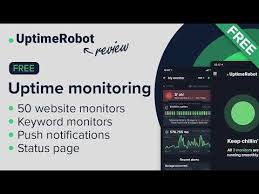
UptimeRobot is a popular cloud-based monitoring service that checks websites, APIs, and servers for downtime in real-time. It offers a free tier with 50 monitors checking every 5 minutes and paid, more frequent, 30-second interval checks. It alerts users via email, SMS, or integrations like Slack, and provides public status pages.
Key Capabilities and Features
1- Monitoring Types: Supports HTTP(S), Ping, Port, Keyword (checking for specific text), Heartbeat (cron jobs), and SSL certificate expiration.
2- Alerting System: Instant notifications via email, SMS, voice calls, and various integrations including Slack, Discord, Telegram, and Microsoft Teams.
3- Performance Tracking: Records downtime, uptime, and response times to analyze reliability.
4- Status Pages: Allows users to create customizable, public-facing pages to communicate system status.
5- Maintenance Windows: Enables pausing alerts during scheduled maintenance.
6- Mobile App: Available on iOS and Android for managing monitors and receiving alerts.
Key Details
1- Free Plan: Includes 50 monitors at 5-minute intervals.
2- Pro Plan: Features 60-second or 30-second intervals, advanced alerts, and more, with pricing starting around $7 per month.
3- Target Users: Suitable for developers, website owners, and businesses requiring reliable, easy-to-use monitoring.
☞ CLICK HERE FOR MY #1 AWESOME NICHE. LEGIT WAYS TO MAKE MONEY ONLINE.
Pros And Cons Of UptimeRobot Platform

UptimeRobot is a popular, user-friendly monitoring platform praised for its generous free tier (50 monitors at 5-minute intervals), reliable instant alerts (email, SMS, integrations like Slack), and easy setup. Key advantages include comprehensive monitoring types (HTTPS, SSL, port, ping) and customizable status pages. Cons include limited 3-month data retention on free plans, potentially high SMS costs, and no Real User Monitoring (RUM).
Pros
1- Generous Free Plan: Provides 50 monitors at 5-minute intervals, which is sufficient for many users.
2- Ease of Use: Simple, intuitive dashboard allowing for quick setup.
3- Reliable Alerting: Instant notifications via email, SMS, voice calls, and various integrations (Discord, Slack, Microsoft Teams).
4- Diverse Monitoring Options: Supports HTTPS, SSL, Ping, Port, and Keyword checks.
5-Public Status Pages: Includes customizable status pages to display uptime to users.
6- Low Cost/High Value: Paid plans start at a reasonable price point ($7/month for 10 monitors).
Cons
1- Limited Free Tier Features: 5-minute minimum interval on the free plan; no 1-minute checks.
2- Data Retention: Limited historical data (only 3 months) on lower-tier plans.
3- SMS/Voice Fees: SMS and voice call alerts require credits, which can become costly.
4- No Real User Monitoring (RUM): Lacks insights into actual user experience on the site.
5- Limited Customization: Some users report that the backend/admin interface could be more customizable.
Key Considerations
1- Best for: Small to medium-sized projects, personal websites, and IT professionals needing quick, reliable, and affordable monitoring.
2- Alternatives: Uptime.com, New Relic, Grafana.
☞ CLICK HERE FOR MY #1 AWESOME NICHE. LEGIT WAYS TO MAKE MONEY ONLINE.
Pricing Of UptimeRobot Platform
UptimeRobot offers a freemium model with a “forever free” plan (50 monitors, 5-min intervals) and three main paid tiers: Solo (~$7-8/mo, 10 monitors, 1-min intervals), Team (~$29/mo, 100 monitors), and Enterprise (~$54+/mo, 200+ monitors). Annual billing saves roughly 20%. Paid plans provide faster, 30-60 second intervals, SMS alerts, and advanced SSL/DNS monitoring.
UptimeRobot Pricing Plans
1- Free Plan ($0): Includes 50 monitors, 5-minute check intervals, and basic email alerts.
2- Solo Plan ($7-$8/month): Designed for individuals, this plan covers 10 monitors with 1-minute intervals, SSL monitoring, and faster alerts.
3- Team Plan ($29/month): Aimed at teams, providing 100 monitors with 1-minute intervals and advanced features like webhooks, API access, and increased alert limits.
4- Enterprise Plan ($54-$60+/month): For large-scale needs, starting at 200+ monitors with 30-second to 1-minute intervals.
Key Pricing & Feature Details
1- Billing Options: Annual billing offers a 20% discount.
Monitor Types: Includes HTTP(s), port, ping, and keyword monitoring.
2- Alerts: Pro plans include SMS, voice calls, and integrations like Slack, Telegram, and PagerDuty.
3- Retention: Paid plans offer longer data retention for monitoring logs.
Note: Some users have reported forced migrations from older, cheaper legacy plans to newer, higher-priced plans.
☞ CLICK HERE FOR MY #1 AWESOME NICHE. LEGIT WAYS TO MAKE MONEY ONLINE.
Do UptimeRobot Platform Work?
UptimeRobot is a highly reliable and widely used, legitimate platform for monitoring website uptime, offering a robust free tier (50 monitors, 5-minute intervals) and, as of 2026, it is considered a go-to tool for developers and business owners. It supports various checks (HTTP, port, ping, heartbeat) and sends immediate alerts via email, SMS, or integrations.
Key Features and Performance
1- Reliability: It is described as very reliable for tracking website and server downtime, with many users having used it for years.
2- Monitor Types: Includes HTTPS, ping, port, keywords, and cron job monitoring.
3- Alerting: Provides immediate notifications via email, SMS, and various integrations (e.g., Slack, PagerDuty).
4- Status Pages: Offers custom, white-labeled status pages to display uptime to customers.
Pros and Cons
1- Pros: Highly generous free plan (50 monitors), easy-to-use interface, and 5-minute check intervals.
2- Cons: Limited data retention on the free plan (3 months) and does not support monitoring internal, non-public services.
3- Performance: While generally reliable, there have been occasional reports of false positives, which the company has addressed by adding more servers and verification nodes.
Verdict
UptimeRobot is effective for monitoring external, public-facing websites and is an excellent, cost-effective choice for small to mid-sized businesses.
Is UptimeRobot Good For Beginners?
Yes, UptimeRobot is excellent for beginners, offering a highly intuitive, “plug-and-play” interface that requires no advanced technical knowledge to set up monitoring in minutes. It is widely recommended for beginners due to its generous free tier, which includes 50 monitors with 5-minute check intervals.
Key Reasons It Is Good for Beginners:
1- Generous Free Plan: Users get up to 50 monitors for free, which is sufficient for most, covering HTTPS, ping, and port checks.
2- User-Friendly: The setup process is straightforward, often requiring only a URL to start monitoring.
3- Reliable Alerts: It provides instant notifications via email, SMS, and other channels (like Discord or Slack) to inform you of downtime.
4- No Maintenance: As a cloud-hosted tool, it requires no, no server management, or Docker container installation.
5Visual Dashboards: It offers easy-to-read, clean dashboards to track uptime statistics and response times.
Limitations to Consider:
5- Minute Interval: The free plan checks every 5 minutes, which might be too slow for some, compared to 1-minute intervals available in paid plans.
6- Limited Customization: Advanced features and customization options are limited on the free tier.
7- No Internal Monitoring: It cannot directly monitor internal resources not exposed to the internet.
For beginners needing more advanced features like 1-minute intervals, paid “Solo” plans are available.
Who Is Own Of UptimeRobot?
UptimeRobot is owned by Itrinity, a Czech/Slovak company that acquired the service in late 2019. The acquisition was made in partnership with the investment group Pale Fire Capital. Originally founded in 2010 by Umut Muhaddisoglu, it is now part of Itrinity’s portfolio of tech services.
Key details regarding ownership and management:
Parent Company: Itrinity.
1- Acquisition Partners: Pale Fire Capital (led by Jan Barta, Dušan Šenkypl, and David Holý).
2- Key Individuals: Tomas Koprusak (associated with Itrinity/UptimeRobot), Michal Aftanas (listed as CEO in some, but not all, reports).
The company operates out of Bratislava, Slovakia.
Is UptimeRobot Any Good?
Highly dependable and budget-friendly. Pros: UptimeRobot is incredibly easy to set up and provides reliable, real-time alerts for downtime. The dashboard is clean, intuitive, and gives exactly the insights we need without being overwhelming.
What Is UptimeRobot Used For?
UptimeRobot is an uptime monitoring service that continuously checks websites, APIs, and other endpoints. It alerts you when anything goes down, degrades, or changes. So you can stay on top of your systems’ current states and identify issues before your users do.
Is UptimeRobot Free To Use?
Yes, UptimeRobot offers a generous, “free forever” plan for up to 50 monitors, ideal for personal or non-commercial use with 5-minute intervals and email alerts, but commercial use is restricted, requiring paid plans for business needs.
Key Features of the Free Plan:
1- 50 Monitors: Track up to 50 different URLs, servers, keywords, or ports.
2- 5-Minute Intervals: Checks your sites every 5 minutes for downtime.
3- Alerts: Receive notifications via email, SMS, calls, and push notifications.
4- Basic Integrations: Includes fundamental integrations.
5- Status Pages: Get one basic status page included.
Limitations & Commercial Use:
1- The free plan is strictly for personal, non-commercial projects, open-source initiatives, and non-profits.
2- Commercial use (business, revenue-generating activities) is prohibited on the free plan, with users directed to paid options for those needs.
Paid Plans:
1- For more advanced features, faster intervals (like 60 seconds), or commercial use, UptimeRobot provides paid plans (Solo, Team, Enterprise) with more monitors and features.
☞ CLICK HERE FOR MY #1 AWESOME NICHE. LEGIT WAYS TO MAKE MONEY ONLINE.
What Are UptimeRobot Alternatives?

Instatus – 7 Best UptimeRobot Alternatives For Your Needs …
Best UptimeRobot Alternatives
1- Instatus.
2- Pulsetic.
3- Better Stack.
4- Super Monitoring.
5- Site24x7.
6- Hextrix Tools.
7- DownNotifier.
Is UptimeRobot Suitable For Small Businesses?
UptimeRobot is a popular and well-established uptime monitoring service that offers a strong feature set at an affordable price point. It’s especially well-suited for developers, startups, small businesses, and teams that need dependable monitoring without unnecessary complexity or high costs.
Is UptimeRobot Better Than Pingdom?
If you’re comparing Pingdom vs UptimeRobot vs Hyperping, consider UptimeRobot if you want the most generous free tier and simple uptime monitoring (NB: their free tier is non-commercial only). Pingdom for real user monitoring (RUM) and enterprise reporting.
☞ CLICK HERE FOR MY #1 AWESOME NICHE. LEGIT WAYS TO MAKE MONEY ONLINE.
What Is The Difference Between UptimeRobot And BetterStack?
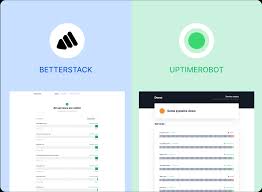
UptimeRobot’s lifetime free plan includes 50 monitors, whereas BetterStack offers 10 monitors. UptimeRobot offers free Keyword, ping, and port monitoring with additional notification options and integrations.
How To Setup UptimeRobot?
To create a Ping Monitor, start by entering a Friendly Name and the IP address or hostname you wish to monitor. After setting the alert contacts, monitoring interval, response time limit, monitoring locations, and other desired details, complete the process by clicking ‘Create Monitor’.
Conclusion UptimeRobot Platform
Final Thoughts: Is A UptimeRobot?
UptimeRobot is a highly reliable, user-friendly, and cost-effective monitoring platform ideal for small-to-medium websites, offering a robust free tier with 50, 5-minute interval monitors. It provides essential, fast-configuring alerts (email, SMS, app) and supports various monitor types, including HTTP(s), port, and keyword.
Key Takeaways
1- Best For: Individuals, small businesses, and developers needing quick, reliable, and affordable (or free) website monitoring.
2- Top Features: 50 free monitors, 5-minute intervals, multiple notification types, and SSL/cron job monitoring on paid plans.
3- Pros: Extremely easy to use, intuitive interface, reliable, and strong free tier.
4- Cons: Limited to 5-minute intervals on the free plan, and SMS/voice alerts require paid credits.
While some users reported recent, minor false-positive issues, UptimeRobot has responded by enhancing their server infrastructure. Overall, it is a top contender for budget-conscious users.
If you want to chart a successful path in the world of affiliate marketing and if you are ready to learn how to make money with affiliate marketing, to promote products, and to build your online affiliate marketing business, sign up for your free account with Wealthy Affiliate now (no credit card required).
Get Started Now
This trusted platform gives you all the training, tools, and community support you need to move toward a $5,000/month income or $60,000 / year or more.
☞ CLICK HERE FOR MY #1 AWESOME NICHE. LEGIT WAYS TO MAKE MONEY ONLINE.
Join the Conversation.
A mode of information, if you want to learn how to achieve quality visitors to your website and build a list, I recommend you can join: My # 1 Awesome Niche for that you learn by working with affiliate marketing. It really takes time and effort, but it is an honest Program where you will teach you real online marketing. Join at link following:
☞ CLICK HERE FOR MY #1 AWESOME NICHE. LEGIT WAYS TO MAKE MONEY ONLINE.
Thanks so much for your interest.
A. Karell
Are You interested to Build A Solid Future from the comfort of your home?
My #1 Aweome Niche is absolutely the best resource for awesome Start In Online Business, with fast and unlimited cash, and you will learn the Strategic Planning.
To Help You Build A Money-Making Affiliate System. Get a Free Starter now and You can build One Free Website.
Tired of Scams? Click Here To See My #1 Awesome Niche.
Your thoughts and questions matter. If you have any questions or comments about the UptimeRobot free to let me know below, or need more help with building your online affiliate marketing business. Thanks for reading this important content on affiliate marketing. Your feedback helps everyone learn and grow.
